A search for rivian highway assist can mean two different jobs. One is a driving-support label on the dash. The other is a Rivian that already stopped. Highway Assist isn’t a mobile charger. An empty pack on Inland Empire roads still needs local Level 2.
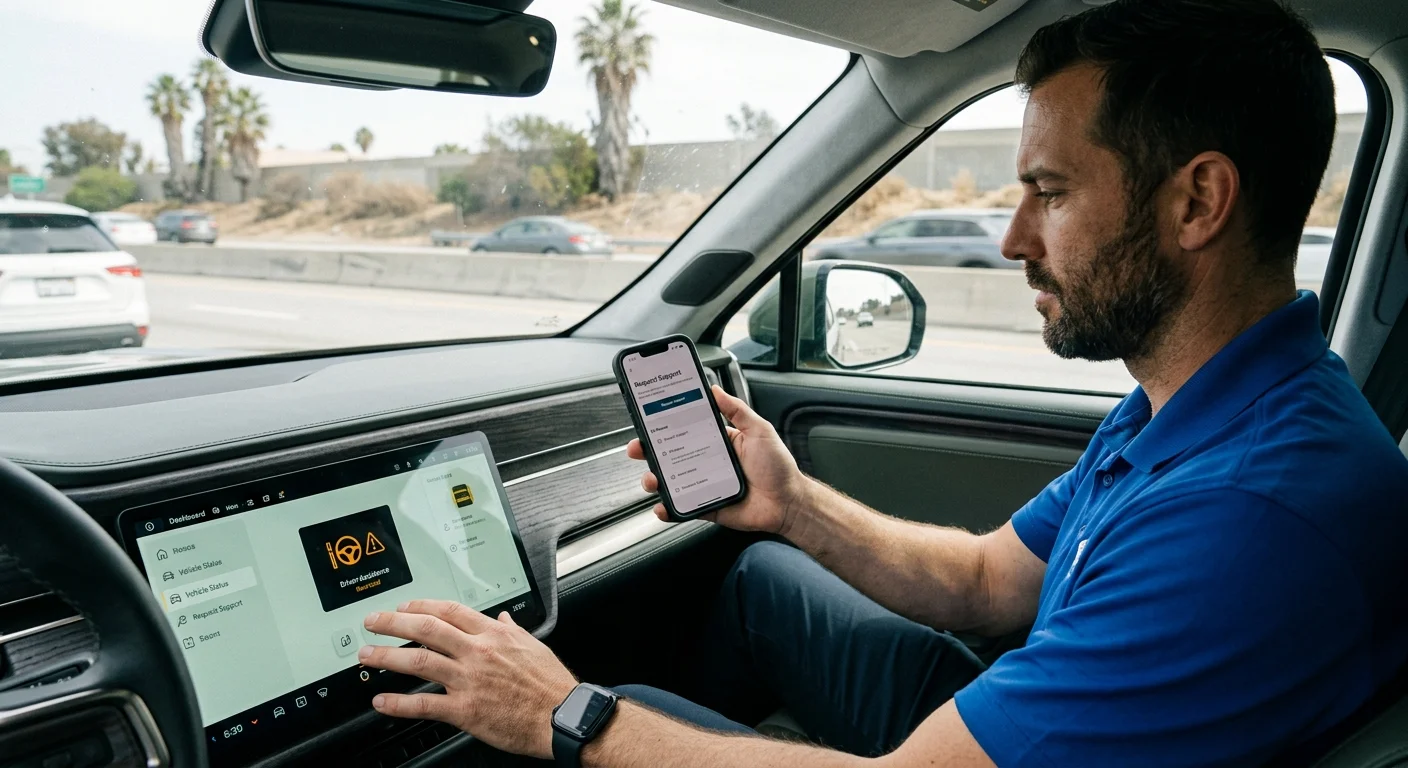
The search mixes a driving feature with a dead pack
Drivers type that phrase after a driving-support message appears. They also type it when the truck is already sitting still. Those aren’t the same call. A driving-support name doesn’t add energy. It doesn’t bring a 240-volt source to the vehicle. It doesn’t jump the 12-volt battery. It doesn’t replace that battery either.
Treat the dash label as a Rivian software question. Treat a truck that can’t roll as a roadside question. Mixing them wastes time on the shoulder.
The citation record for this page doesn’t confirm Rivian’s current official name. It doesn’t confirm which models, roads, or software builds include it. It doesn’t confirm required settings. Rivian’s owner materials have to answer that. Your in-vehicle screens are the live source. A page written for another truck may not apply to yours.
Copy the full message before you tap anything. A photo of the display helps later. Tiny wording gaps can separate a missing driving feature from a real fault. Don’t clear warnings just to see if the icon returns.
If the Rivian still drives, follow Rivian’s current feature instructions. If it won’t become ready, treat it as roadside. If it won’t take a charge, do the same. If it can’t reach a charger, do the same.
Match the wording in the truck, not a video
Older clips and forum threads reuse names that may be gone. Search Rivian’s site with the string on your screen. Check the owner’s guide that shipped with your truck. Compare model, configuration, and software. Don’t assume an R1T note covers an R1S.
We couldn’t verify feature maps, speed rules, or lane rules from approved sources. Rivian sets those details, so confirm them there. Report what you see. Don’t name a failed part that hasn’t been diagnosed.
A driver on the I-15 Cajon climb toward Victorville can have either problem. So can someone on I-215 through Moreno Valley. The road doesn’t tell you which problem you have, only the truck does.
An empty pack still needs local Level 2
Once the truck has stopped, skip the search phrase. Ask what would actually get you moving. You may need energy, a 12-volt reset, or a move.
Inland grades make the empty-pack case familiar. The Cajon Pass toward Hesperia and Victorville eats range on the climb. So does I-10 through Colton, Redlands, and Banning, and the rise toward Yucaipa. Desert miles around Adelanto, Apple Valley, and Phelan stretch a low state of charge. Heat and extra loops out of Temecula and Murrieta do the same. SR-60 through Jurupa Valley and the 91 through Corona add stop-and-go. None of that converts Highway Assist into a charger.
This page doesn’t guess how far the next working stall is. If you can still roll to one, go. If you can’t, a mobile EV charging visit is roadside Level 2. The independent operators we connect you with bring a 240-volt source to the car. They use a native NACS plug, or a CCS or J1772 adapter. Typical charging time adds about 10 to 20 miles of range. That takes 15 to 30 minutes on the plug, never an arrival time.
Your home utility doesn’t roll that van. Southern California Edison serves most valley cities, including Fontana, Ontario, Corona, and San Bernardino. Riverside Public Utilities serves the City of Riverside. Colton and Banning each run a city electric utility. Bear Valley Electric Service covers Big Bear Lake and Big Bear City. Moreno Valley and Rancho Cucamonga each split SCE with a municipal pocket. Those names matter at a home panel. They don’t replace a Level 2 hookup on the shoulder.
The charger a Rivian needs on Inland Empire roads covers plug types in more depth.
Sort energy, 12-volt trouble, and a tow
Read the truck. Don’t pick a service from one icon.
When remaining charge is the issue
Ask for a Level 2 visit when energy is the blocker. Share the displayed percent and where you meant to go. Say whether the port opens. Say whether a cable already failed to start a session. Mobile charging isn’t a port repair. If the Rivian refuses energy, say that. Don’t call it an empty pack if it won’t accept a charge.
Stalls like this show up in Fontana and Ontario. They show up after a long day in Eastvale or downtown Riverside. Give access details: freeway shoulder, gated lot, structure, or driveway. The operator uses that to decide if the job fits.
When the truck won’t become ready
A Rivian that won’t wake may still have drive-battery energy. Dark screens and dead locks often point at the 12-volt system. Those signs don’t prove a part. Follow Rivian’s current 12-volt steps before anyone clips on cables. R1T and R1S 12V checks help you log what you see. The matched operator still confirms the work fits this truck.
When the truck needs to be moved
Ask about transport when charging or a 12-volt visit won’t address the report. Damage, a dead port, or Rivian’s own instruction can force a move. Tell the provider if the vehicle can roll, steer, or unlock. They should review Rivian’s current transport notes before loading.
Access still changes the job. An Ortega Highway stall near Wildomar isn’t a High Desert mile near Adelanto. Name the road, the grade, and where a truck can park.
Use Rivian’s path, then a local backup
If this is roadside, open Rivian’s current official support tools. Use the app, the in-vehicle request, or the account path your truck shows. Coverage and included services change. The approved record for this page doesn’t confirm hours, prices, eligibility, or arrival. Check those with Rivian before you count on them.
Ask whether this vehicle is eligible right now. Ask whether the listed service matches what you’re seeing. Ask whether your pin sits inside the stated service area. Ask whether Rivian sends someone, or you pick the provider. Ask what you have to approve before work starts.
Save the confirmation. If they send a third party, confirm who it is and what they’ll do. Approve terms with that party.
Rivian’s roadside number, and a local Inland Empire backup walks that fork. It doesn’t replace live terms.
If Rivian’s path doesn’t fit, call an independent EV operator. Ask that operator to confirm availability, scope, price, and compatibility. Get that quote before anything starts.
Charge Pro IE refers, it doesn’t do the work
Charge Pro IE is a referral line for the Inland Empire. We match stranded EV drivers with independent local mobile rescue operators. We don’t charge vehicles, own trucks, employ technicians, or set prices. We don’t promise when someone arrives, publish hours, or hold a license. The operator quotes you before starting and bills you directly.
The pros we connect you with are licensed. They handle Tesla and every major EV brand, including Rivian. Ask them to confirm the plug, the adapter, and the work.
When you reach us, share your Rivian model. Share the exact dash message and remaining charge. Share whether it becomes ready, and your precise location. Those facts separate a Highway Assist question from a strand. They also help match non-Tesla EV rescue. What a mobile EV charging visit actually is explains the Level 2 stop itself.
We serve the Inland Empire across Riverside County and San Bernardino County. Report the symptoms, confirm the operator’s scope, and approve terms with that professional.
Call when the Rivian can’t reach charging or won’t become ready. Have the display message and the pin ready. Call (909) 250-2881 and we’ll connect you with a local EV rescue operator.