The CCS handle on a Rivian R1T or R1S can stay locked after the session already reads complete. That’s a Rivian charge port stuck on the pin, not a dead traction pack. Public DC posts across the Inland Empire freeze that cable the same way other CCS handles seize in place. Stop the stall from its own screen first. Cycle the locks next. Pull the frunk loop only if the handle still won’t slide out.
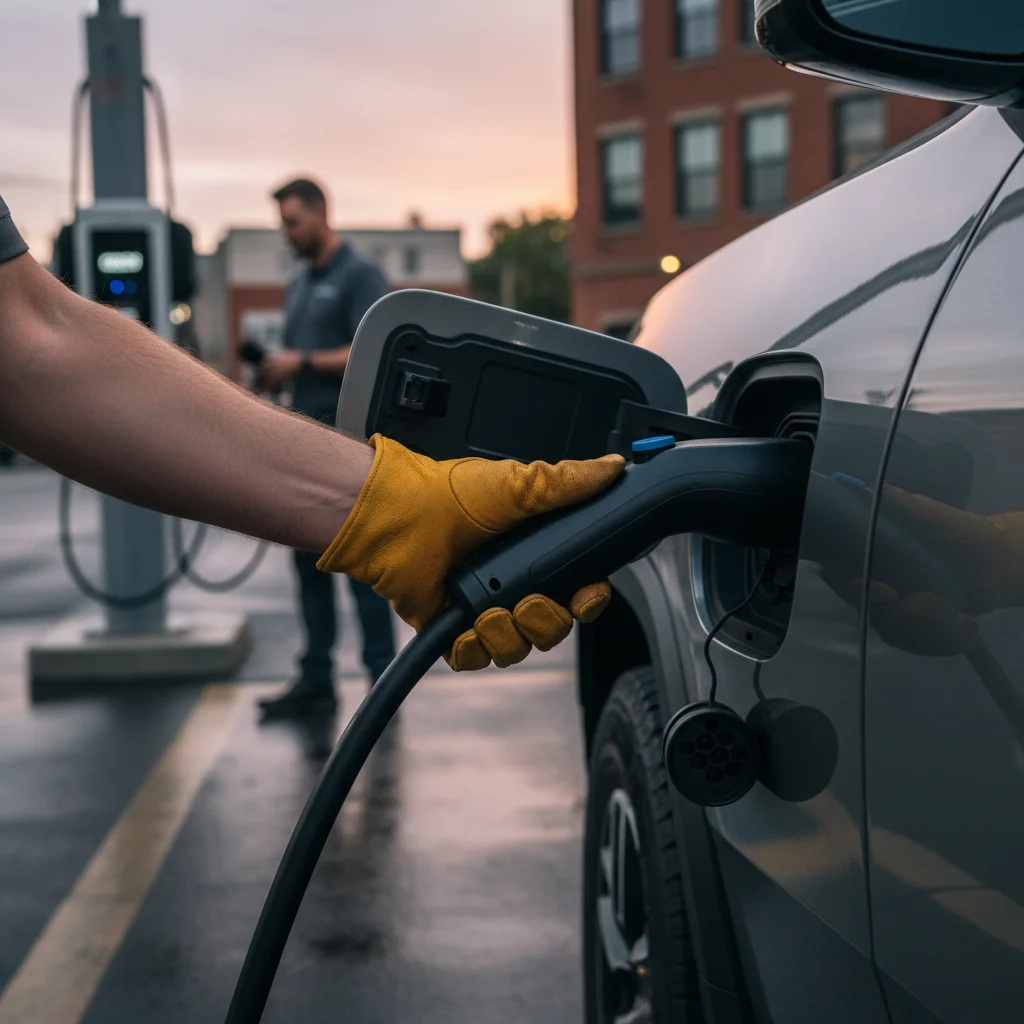
The pin holds the handle, not the pack
Rivian uses a small motorized pin to keep a DC connector seated. The pin waits for a clean stop signal from the truck and from the cabinet. When those two computers disagree, the pin stays out. The charge door can also sit a hair off the striker and bind. You still have range. You just can’t unplug.
You’ll see the same freeze in a Fontana warehouse row or a pad off I-10 in Colton. Ontario airport lots see it too, in EV rescue around Ontario airport lots and warehouse rows. Other brands jam the same way. For a generic inlet, read how to free a charging cable that’s stuck in your EV.
A weak 12-volt battery can scramble the same electronics. Flickering screens, a frunk that won’t pop, or a truck that won’t wake all point there. Run the R1T and R1S 12V checks before you force interior panels. Don’t yank the handle while you sort that out.
Clear the handshake before you open the hood
Most stuck cables are a session that never quite ended. The cabinet still thinks it’s charging. The Rivian still thinks the pin should stay. You can often fix that from the stall pad.
Lock the truck, then unlock it. Use the phone key, the fob, or the card. Do it more than once. Each cycle asks the computer to read the port again. Try the handle after the second or third cycle.
Then end the session from the cabinet. Use the screen on the post or the network app tied to that stall. Don’t trust the truck’s “complete” message alone. Public DC gear is a third-party box. Its stop command is the one that often frees the handle.
If the port light still looks like an active charge, wait a beat. Press the handle button again. Don’t walk away and hope the pin gives up.
Reset the screens only while you’re parked
If lock cycles fail, reset the infotainment with the truck sitting still. Hold the far-left and far-right steering-wheel buttons together. Keep holding until the screens go dark. Let them reboot, then try the handle once more. That’s a parked reset. It’s not something you run in a live lane.
Do it on a stall pad, a warehouse aisle, or a wide shoulder. Don’t do it on I-15 through Cajon Pass. Don’t do it in a travel lane of I-215 through Moreno Valley. If the truck can creep forward a car length onto a pad, do that first.
If you hear grinding or a repeated click at the port, stop cycling. That sound points at a bind in the latch, not a software loop. The frunk cable is next. Rivian still needs to see the hardware later.
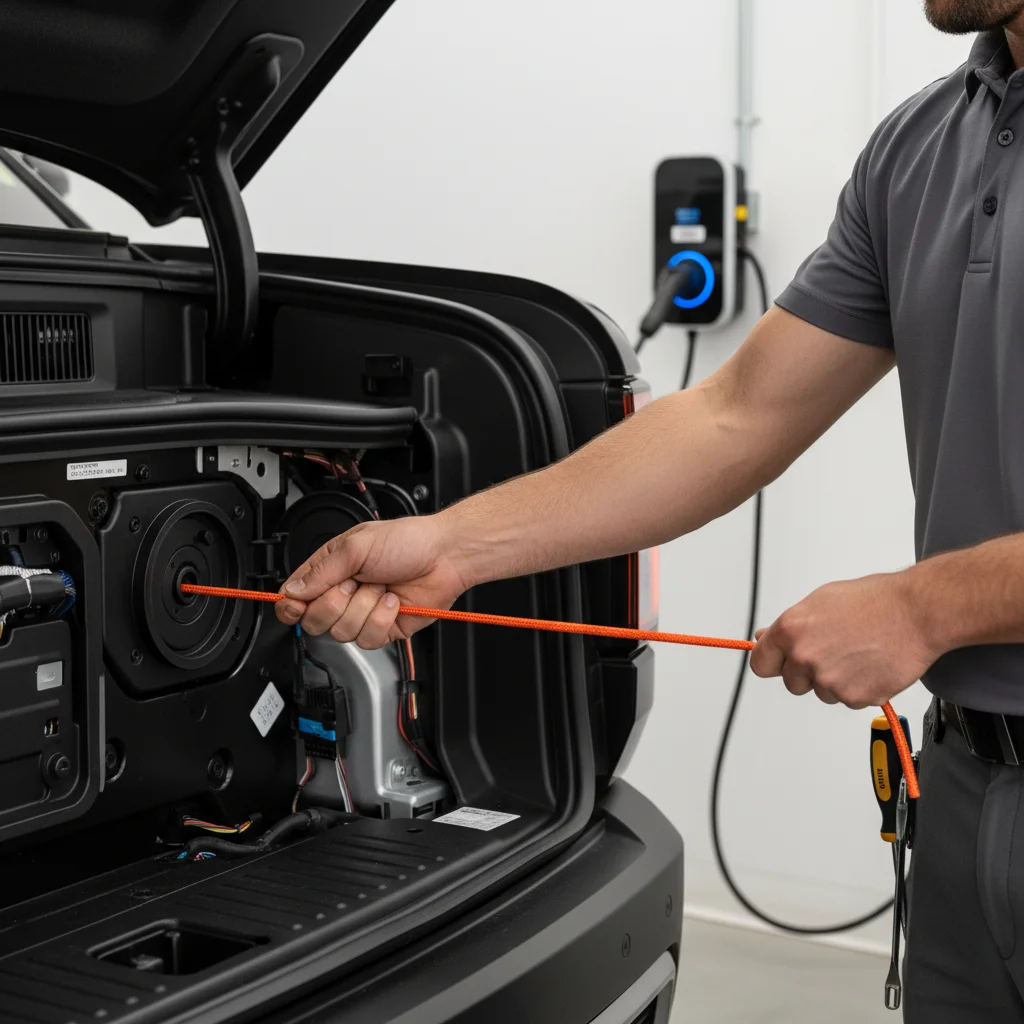
The frunk loop on an R1T and an R1S
There’s a mechanical backup behind a small panel in the front trunk. The R1T and the R1S both use a tagged loop on a short cable. That panel sits on the driver’s-side wall in both body styles. The truck’s cover sits lower, near the hinge and the cabin wall. The SUV’s cover sits a bit higher and farther back.
Open the frunk first. A phone flashlight is enough. On the R1T, find the small rectangular plastic cover on the driver’s side, close to the hinge. Pop it with your fingers. If it fights you, a plastic trim tool works. A cloth-wrapped flat screwdriver can work if you go gently.
Inside you should see a short cable with a loop. Look for a tagged loop. Pull the loop toward the front of the truck with steady pressure. Don’t snatch it. You’re waiting for a solid clunk at the charge port. That clunk is the pin coming home. Then press the handle button and slide the cable out.
On the R1S, open the same frunk. Look higher on that driver’s-side wall, a little farther toward the cabin. Pop the cover. Pull the same kind of loop the same way. When you hear the clunk, unplug.
If the frunk won’t open at all, you’re past a simple cable jam. That often traces to 12-volt power. Work the 12V path before you pry more panels.
Stuck on a public post, not in your driveway
A handle that won’t release at home is a hassle. The same handle on a public cabinet also blocks the stall. The order doesn’t change. Stop the session at the cabinet. Cycle the locks. Reset only while parked. Then pull the frunk loop.
You might be in that Ontario airport lot or a warehouse row in Fontana. You might be on a pad off SR-60 in Jurupa Valley. You might be on the 91 through Corona, or on a climb toward Yucaipa. Don’t rip the handle to clear the stall faster.
Look for a support number printed on the cabinet. Call it and say the connector won’t release. The network can sometimes end the session from their side. That’s their cabinet, not yours. Confirm what they can actually do. Don’t assume the truck is the only fault.
Never lever the handle. Never twist the cable against the inlet. You can break the Rivian’s port, the station’s connector, or both. A broken inlet is a shop visit. A stuck pin is often one loop pull.
If the loop does nothing, the pin may be bent, dry, or jammed past the cable’s travel. Don’t keep yanking the loop.
Heat, grit, and a door that won’t sit flush
Valley sun cooks painted metal. A charge door that sat open in Riverside or San Bernardino heat can close a little off the striker. Grit from a warehouse lot, an airport row, or a High Desert shoulder can sit in the latch too. You don’t need a local failure rate for that. You can see the dirt. You can feel a door that doesn’t sit flush.
Wipe the inlet and the door edges before you plug in next time. If the door looks cocked, don’t slam it. Note it for Rivian service. A misaligned door will stick again after you free today’s cable.
Mountain trips toward Lake Arrowhead or Big Bear Lake add cold-soaked hardware after a long sit. No verified local rule turned up for ice on Rivian latches in those towns. If the door is wet or the latch looks glazed, dry what you can see. Then use the loop. Don’t invent a winter trick Rivian hasn’t given you.
Home wall units use the same pin logic. Riverside homes sit on Riverside Public Utilities. Colton runs the City of Colton Electric Utility. Banning has its own municipal electric utility. Most neighboring cities, including Fontana, Ontario, Corona, and Temecula, sit on Southern California Edison. Rancho Cucamonga and Moreno Valley are split, with a municipal pocket plus SCE. None of those utilities retract your charge pin. The truck does. A dark house charger is a different problem. See what charger a Rivian needs on Inland Empire roads.
After the cable comes free
Once the handle slides out, don’t peel into traffic on a sliver of range. Check the percent on the screen. A low pack on I-10 through Redlands is its own stranding. So is I-215 through Perris, or the Cajon climb toward Victorville. A Level 2 visit from a local operator can add 10 to 20 miles in 15 to 30 minutes of charging. That’s charging time, never an arrival time.
Destination lots follow the same rule. A long sit at Cabazon, Glen Helen, or Pechanga can leave the pack lower than you planned. Free the cable first. Then decide if you can climb out on what’s left.
If the truck still won’t wake, you’re likely in 12-volt territory. That’s a jump or a replacement on site, not a DC cabinet problem. The operators Charge Pro IE connects you with handle both the 12-volt side and a roadside Level 2 hookup. They bring a native NACS plug, plus a CCS or J1772 adapter for non-Tesla EVs. They cover Tesla and every major EV brand, including Rivian.
When the latch is hardware
Call Rivian if the loop did nothing, if you heard grinding, or if the door won’t sit flush after you unplug. That’s hardware. Charge Pro IE doesn’t repair latches. It’s a referral line. It matches stranded EV drivers with independent local mobile rescue operators. It holds no licence, owns no trucks, and employs no technicians. The operator quotes you before starting and bills you directly.
Call a local operator when the cable is finally free and the pack is too low to roll. Call them when the 12-volt side is dead. Don’t call them for a promise that a seized pin will retract. Say what you actually have: a locked CCS handle, a dark truck, or an empty pack.
If you still can’t unplug, a tow may be the honest next step. Compare that path with Rivian’s roadside number, and a local Inland Empire backup. For CCS help after you’re free to roll, use non-Tesla EV rescue.
Don’t wait in a live lane of I-10, SR-60, or the 91. Get the truck as far onto the shoulder as it will go. If it won’t move, stay out of traffic and call.
If the handle is still locked
You already tried lock cycles, the cabinet stop, a parked screen reset, and the frunk loop. The cable is still in the port. That’s no longer a DIY afternoon. Charge Pro IE can connect you with an operator for a 12-volt jump or a Level 2 top-off once the handle is free. It can’t promise the pin will retract. It can’t quote Rivian’s shop.
Call (909) 250-2881. Tell the matcher where you are, that you drive an R1T or R1S, and that the charge handle won’t release. The operator who takes the job quotes you before any work starts and bills you directly.
Frequently asked questions
Is a stuck Rivian charge cable a dead battery?
No. A stuck CCS handle is usually a latch, not a dead pack. The motorized pin is still holding the connector in place. The traction pack can still have range left.
How do I free the cable before I open the hood?
End the session at the cabinet before you open the hood. Lock and unlock the truck more than once. If that fails, reset the screens only while parked. Hold the far-left and far-right steering-wheel buttons until the screens go dark.
Where is the frunk release loop on an R1T or R1S?
Open the frunk and look on the driver’s-side wall. The R1T cover sits lower, near the hinge. The R1S cover sits higher and farther back. Pull the tagged loop until you hear a clunk, then unplug.
What if I hear grinding or the loop does nothing?
Stop cycling if you hear grinding at the port. That sound points at a bound latch, not a software loop. If the loop does nothing, the pin may be bent, dry, or jammed. Charge Pro IE doesn’t repair latches.
What if the frunk won’t open at all?
A frunk that won’t open is no longer a simple cable jam. Low 12-volt power often sits behind that jam. Flickering screens or a truck that won’t wake point there too. Sort the 12-volt side before you pry more panels.