A Chevy Blazer EV that won’t start after sitting in an Inland Empire lot is usually a dead 12V. The Ultium pack can still show a healthy number in the myChevrolet app. The small battery that boots the car is what failed. Family Blazers in Ontario, Fontana, Riverside, and Eastvale sit through school, shopping, and work. Then the center screen stays black. The fob feels dead. Ready mode never comes.
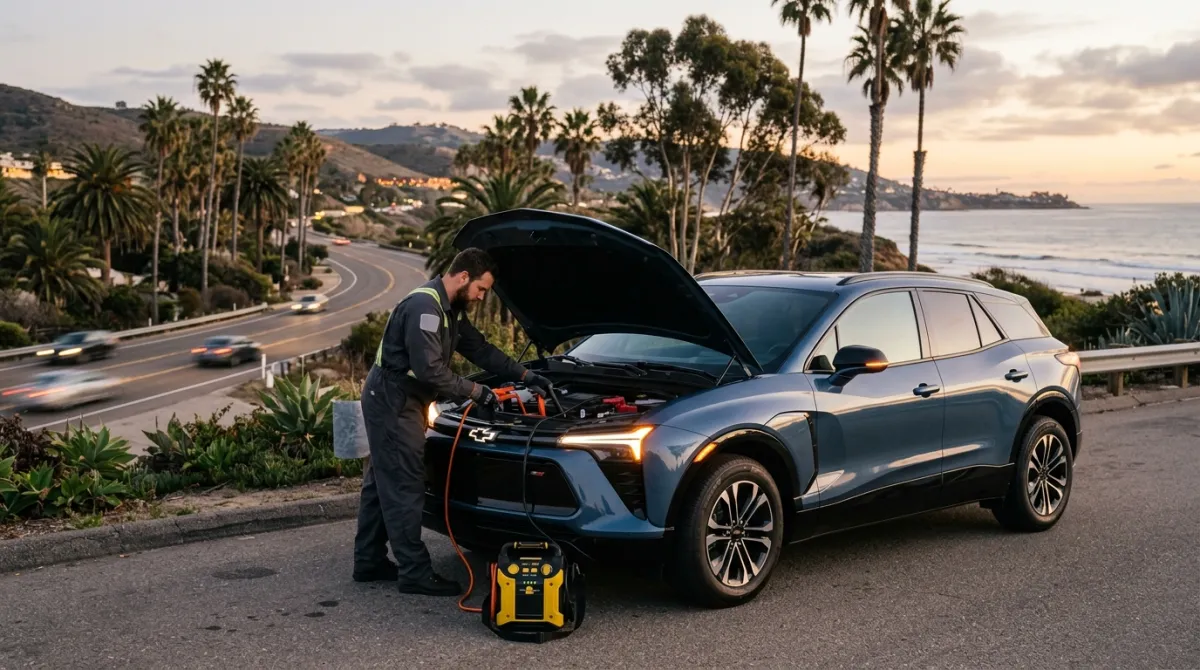
Full pack, dead car: start with the 12V
A Blazer EV that won’t start usually falls into one of three buckets. The 12V auxiliary battery is flat. A software hang in the Ultium battery management system can also block high-voltage start. A charge-port latch that never reports closed can keep the car out of Ready. The large center screen going dark is the clearest 12V tell. Don’t assume the traction pack is empty because the dash is blank.
The Blazer EV shares GM’s Ultium platform with the Chevy Equinox EV. The Cadillac Lyriq uses the same family. Failure order is nearly the same. If another Ultium vehicle lives in the driveway, start with 12V there too. The Chevy Equinox EV 12V checks and the Cadillac Lyriq no-start checks follow that path.
Every production EV runs two systems. The traction pack moves the motors. The 12V runs locks, the screen, and body modules. It also runs the computers that allow high voltage online. When the 12V dies, the Blazer won’t boot. Pack miles don’t rescue you.
That mix-up happens after a long park. The car looked fine when you locked it. Now it’s silent. A low pack usually warned you on the drive in. A 12V failure can hit while the app still looks normal. For the general pattern, read when an EV 12V battery dies on the road.
A BMS hang looks different from a silent dash. The screen may flash, then die. A boot animation may never finish. Ready may appear, then drop. You may see “Service EV System” or “Service High Voltage Charging System.” Charge in the app can still look fine.
A latch fault is narrower. The screen may show a locked charge-port icon. The car won’t go Ready until the latch reports correctly. Check the port and any cable before you call for a pack charge.
If the pack really is empty, that’s a separate job. Out-of-charge recovery is the right service page. Operators we connect you with bring a 240V Level 2 source. On a Blazer EV they use CCS. That typically adds 10 to 20 miles of range. Charging time is 15 to 30 minutes. That’s charging time, never an arrival time.
Read the screen before you guess
Use the center display as a diagnostic, not as a scare.
| Screen state | What it likely means |
|---|---|
| Completely dark, no dome light, fob silent | 12V is fully dead |
| Dark screen, doors still unlock | 12V is low; try a jump pack |
| Screen flashes on, then off | Module boot loop; cycle 12V power |
| Screen loads, service warning, no Ready | Ultium fault; cycle, then a dealer |
| Charge-port locked icon | Latch fault; inspect the port |
Total darkness plus a dead fob is the parking-lot classic. Jump the front posts. Give the modules a short wait. Then request Ready. If the app shows charge and the car still won’t drive, stop. Don’t force a charge session on an active Ultium warning.
Front trunk, jump bar, and the manual release
There’s no engine bay. On the Blazer EV, the 12V sits in the front trunk. It’s under a plastic panel. If the 12V still has a little charge, the frunk opens. Use the interior release or the key fob. If the 12V is fully dead, the latch is electric. Use the manual emergency release described in the owner’s manual. Don’t pry trim and hope.
Jump terminals sit on a dedicated buss bar in that front compartment. They aren’t the battery posts. The positive post has a red cap. The negative point is a chassis bolt nearby. Clip the jump pack to the buss bar. Wait about a minute for the 12V system to recover. Then press start.
If you don’t want to work under that panel, stop. The pros we connect you with carry jump gear for GM EVs. Charge Pro IE is a referral line. We don’t own trucks, and we don’t perform the work. The operator quotes you before starting and bills you directly.
Power-cycle a software hang
If the screen is looping, try a 12V power cycle before a tow. Do the same if a service EV message is up. Open the front compartment. Disconnect the negative battery lead. Wait two minutes. Reconnect. Let modules sequence. You may hear relays click. Then try a normal start. That clears volatile memory and lets the battery management system initialize again.
If high-voltage warnings remain, that’s a Chevrolet dealer scan. Don’t keep commanding a charge on an active Ultium fault. Ask the dealer whether your VIN needs a software update. We didn’t find a public, complete list of affected Blazer EV builds to cite. Treat the service desk as the authority on your car.
Family lots across two counties, not one pattern
The Inland Empire spans Riverside County and San Bernardino County. ACS 2019-2023 puts Riverside County at 2,478,600 people. San Bernardino County is 2,197,104. Housing age isn’t the same. On that vintage, 30.2% of Riverside County housing predates 1980. San Bernardino County is 43.8%. A family Blazer EV in Eastvale doesn’t live like one in San Bernardino.
Eastvale’s pre-1980 share is 2.2% on the same ACS vintage. Temecula is 6.5%. Murrieta is 6.2%. The car still sits in grocery lots and school lines. New drywall doesn’t keep a 12V alive.
Ontario’s pre-1980 share is 50.7%. Fontana’s is 28.9%. Riverside city is 56.4%. San Bernardino city is 60.9%. Older neighborhoods change overnight charging habits more than they change the 12V chemistry. If you were sure the wall box ran, check the 12V anyway. A dead dash isn’t the panel’s fault until you prove it.
The wall box also sits on different utilities. SCE in the San Bernardino Valley includes Ontario, Fontana, and San Bernardino. It also includes Rialto, Highland, Redlands, Yucaipa, and Loma Linda. Chino, Chino Hills, Upland, Montclair, and Grand Terrace sit on SCE too.
South and west, SCE serves Corona, Norco, and Eastvale. Jurupa Valley, Perris, and Menifee are SCE as well. Lake Elsinore, Wildomar, Canyon Lake, and Hemet are SCE. Temecula, Murrieta, Beaumont, and Calimesa are too.
Riverside city is different. Riverside Public Utilities has served throughout the city since 1895. Colton is different again. The City of Colton Electric Utility owns the electrical infrastructure inside city limits. Banning has the City of Banning Electric Utility.
Moreno Valley is split. SCE serves part of the city. Moreno Valley Utility serves newer development since 2004. Rancho Cucamonga is split too. SCE covers most of the city. Rancho Cucamonga Municipal Utility covers a southeast pocket. That pocket has over 3,900 metered businesses and residents. It includes The Enclave, Day Creek Square, The Resort, and the Victoria Gardens area. A long sit at Victoria Gardens is still a 12V checklist when the Blazer won’t wake.
San Jacinto is SCE for delivery. San Jacinto Power is the community choice aggregator that supplies generation. Victorville homes are on SCE. Victorville Municipal Utility Services serves only the Southern California Logistics Airport and Foxborough Industrial Park. It states it doesn’t provide utility service in residential areas at this time.
Big Bear Lake and Big Bear City aren’t on SCE. Bear Valley Electric Service names Big Bear Lake and Big Bear City. It also names Lake Williams, Erwin Lake, Sugarloaf, Moonridge, Fawnskin, and Boulder Bay. Lake Arrowhead and Crestline are on SCE. A Blazer EV that sat through a mountain day still gets the same screen test. Utility name doesn’t jump a 12V.
If the sit was around Ontario’s airport and warehouse rows, use EV rescue around Ontario airport lots and warehouse rows for that pattern. For GM and other non-Tesla EVs anywhere we serve, non-Tesla EV rescue is the service page. None of those utilities sets a mobile rescue price. The independent operator on your call does. We don’t publish a figure because we don’t set one.
A short order of operations
Work this list once. Then call.
- Read the screen and try the fob. Silence points to 12V.
- Check myChevrolet. A normal pack percent with a dead dash is still 12V.
- Open the frunk if you can. Use the manual release if you can’t.
- Jump the buss bar. Red cap is positive. The chassis bolt is negative.
- Wait about a minute. Then request Ready.
- If the screen loops or a service EV warning stays, disconnect negative for two minutes.
- If the port icon shows locked, inspect the latch and cable.
- If the pack is actually at zero, you need a mobile charge, not only a jump.
Don’t probe orange high-voltage cables. Don’t keep hammering start through stacked Ultium warnings. A jump that dies again in the next lot usually means the auxiliary battery is done. Replacement is quoted by the shop or the operator, not by Charge Pro IE.
Frequently asked questions
How do you jump start a Chevy Blazer EV?
Open the front trunk with the fob or the interior release. If those fail, use the manual cable in the owner’s manual. Lift the plastic cover. Find the jump buss bar, not the battery posts. Clip jump-pack positive to the red-capped post. Clip negative to the nearby chassis ground. Wait about a minute, then press start. If you’d rather not work in the frunk, a local operator can do this at the lot.
What does a dark screen on a Chevy Blazer EV mean?
A fully dark screen with no dome light and no fob response means the 12V is dead. The center display runs on 12V, not on the Ultium pack. No 12V means no locks, no boot, and no high-voltage enable. Jump the front posts first. A screen that loads and then shows a service warning is a different path. Cycle 12V power. Then see a Chevrolet dealer if it returns.
Can a Blazer EV refuse to start with a full charge?
Yes. The computers that authorize Ready mode run on the 12V system. A dead 12V leaves a full pack sitting still. A battery-management hang can also block Ready while the app still shows charge. Cycle the 12V first. If “Service EV System” stays on, get a Chevrolet scan. Ask the dealer about software for your VIN. We didn’t find a public roster of affected builds we could cite.
If your Chevy Blazer EV won’t start anywhere in the Inland Empire, call (909) 250-2881. We’ll match you with an independent local operator. That person quotes you before starting and bills you directly.